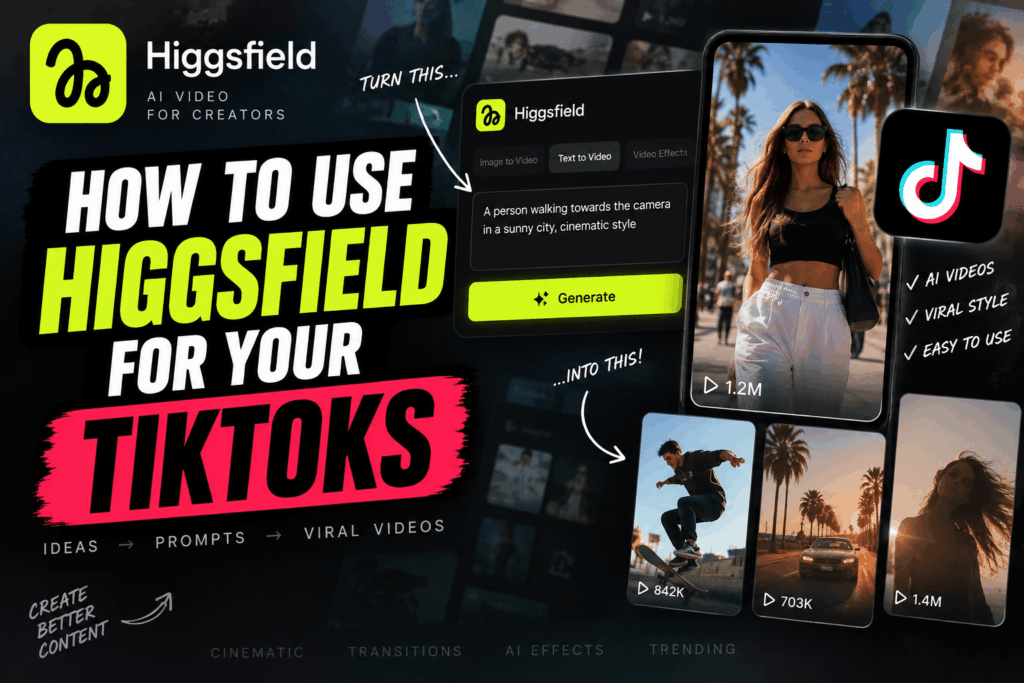
Higgsfield is a shot factory, not a growth engine. It will hand you footage you could not otherwise afford, in a morning, without a camera. What it will not do is decide whether anyone watches past the first second. That part is still writing, and no model on the roster does it for you.
We sell TikTok views, likes and followers, so weigh the distribution half of this accordingly. Most of what follows is about production, where we have nothing to sell you and no reason to oversell the tool.
What Higgsfield actually is
It helps to be precise about what you are paying for, because the marketing blurs it.
Higgsfield is not a video model. It is a workspace sitting on top of other people’s models, plus a control layer of its own. Its own video page lists Veo, Sora, Kling, Wan and Seedance side by side, and you pick one per generation. So the thing you are buying is a front end, a preset library and one bill instead of five.
Two parts of that control layer matter for short-form.
- The effects library. Named one-click presets with a still image as input. Earth zoom, Bullet time, Vanish, Clones, Frozen in motion, and a few hundred more. This is the viral-shot vending machine, and it is what most people actually come for.
- Cinema Studio. The deliberate opposite. You choose a camera body, a lens, a focal length, and you can stack up to three simultaneous camera moves on one shot. It turns prompting from a slot machine into something closer to a setup you can repeat.
There is also Genjutsu for motion transfer, which takes the movement out of one clip and recasts it with your character or product, and Speak for talking avatars. Both are useful in narrow situations we will come back to.
On cost, understand the shape rather than the number. You pay in credits per generation, plans change often, and the figure that decides your real spend is not the monthly price. It is how many attempts a usable shot takes. A re-roll is a generation. Budget in attempts.
The five jobs it is genuinely good at
Almost everyone starts by trying to generate an entire TikTok end to end. That is the one use it handles worst. These five are where the tool earns its place.
- The pattern-interrupt opening shot. One or two seconds at the very top that could not have been filmed. This is the highest-value use by a distance, because it is the moment that decides everything downstream.
- B-roll you cannot shoot. Talking to camera works fine until you need a cutaway to an aerial, a factory floor or a 1970s living room. Generate the cutaway, keep your own face on the anchor shots.
- Product in a place you cannot book. Drop a product photo into an environment that would have cost a location fee and a day. For e-commerce this is the clearest return on the subscription.
- Faceless-account presenters. Speak will give you a talking avatar. Be honest with yourself here: viewers clock these quickly, and a synthetic presenter reading a script is the format most likely to be scrolled. It works best for short factual segments, not for anything that needs to be liked.
- Continuity repair. First and last frame references let you lock a shot’s start and end, and you can feed a reference video to dictate pace and gesture. Unglamorous, and the difference between a sequence and a pile of clips.
A workflow that survives contact with the feed
Order matters more than tooling here. Most wasted credits come from generating in the wrong sequence.
- Write the script first, in text, with no generator open. Hook, then the reason to stay, then the payoff. If it does not read well as three lines of text, footage will not save it. Our guide to TikTok hooks is the part to get right before you spend anything.
- Break it into shots of three to six seconds. Generated clips are short by nature and you will be stitching anyway, so plan the cuts rather than discovering them.
- Generate the hook shot first, and only the hook shot. Spend your attempts there. If the opener does not stop a thumb, the other eight shots are wasted money.
- Lock the look before you scale up. Set an image reference, then reuse it. Style drift across shots is the tell that separates a sequence from a slideshow.
- Generate vertical natively. Set 9:16 at generation time. Cropping a 16:9 clip down throws away the sides the model composed for and puts your subject’s head in the caption zone.
- Cut in an editor, not in the generator. Export the clips, assemble in CapCut or whatever you use, add captions and sound there. Generators are bad editors and the timing of a cut is where short-form is won.
- Treat sound as half the video. TikTok plays with sound on. Generated footage with no audio bed reads as stock. Trending audio or a clean voiceover, but not silence.
The part where TikTok knows
This is the section most Higgsfield tutorials skip, and it is the one with consequences.
TikTok requires you to label realistic AI-generated content. That has been policy since September 2023, when the disclosure tool shipped alongside the synthetic media rules. It is a rule about realism, not about AI in general. A stylised animation is not the target. A believable person in a believable place is.
Detection does not wait for you to volunteer. TikTok became the first video platform to read C2PA Content Credentials in May 2024, which means provenance metadata travelling inside your file gets you labelled automatically on upload. Most major video models attach something of this kind now, so assume your export is carrying it.
Then it got harder to shake off. In November 2025 TikTok started adding invisible watermarks to content uploaded with Content Credentials, specifically because metadata labels get stripped when files are re-uploaded or edited elsewhere. TikTok says only it can read those watermarks. It also reported over 1.3 billion videos labelled as AI-generated to that point.
Two practical conclusions. Stripping metadata to pass generated footage off as filmed is a losing strategy and always was. And since you are getting labelled either way, label it yourself, because self-disclosure is compliance and getting caught is enforcement.
The viewer dial nobody talks about
The same November 2025 announcement carried something more interesting for anyone posting AI footage weekly. TikTok began testing an AI-generated content control inside Manage Topics, so viewers can choose how much AIGC lands in their For You feed.
TikTok is careful to describe this as tuning rather than removal. People who want more AI history content get more of it, and people who want less can dial it down.
We want to be clear about what that does and does not tell you. It is not a penalty, and it is not evidence of one. It does mean part of your potential audience has a switch for turning your format down, and nobody outside TikTok can tell you how many have used it. Treat it as a headwind of unknown size rather than a known cost. Anyone quoting you a reach percentage for the AI label is guessing.
The rule that actually costs money
The Creator Rewards Program is where this stops being philosophical. Eligibility there turns on originality and quality, and TikTok’s published criteria exclude content copied from others or made with minimal original input, alongside a low-quality bucket covering things like slideshow videos and meaningless reactions. The eligibility rules spell out the categories.
Notice what is and is not being said, because this gets misreported constantly. TikTok has not published a rule that AI video is ineligible. It has published an originality bar, and AI output is neither exempt from it nor automatically failing it.
The line runs through what you added. A prompt typed into a generator, exported and posted is close to minimal original input by any reading. The same clip used as one cutaway inside a scripted video you wrote, cut and voiced is not. If monetisation is the point of your account, that distinction is the whole ballgame, and it is worth reading next to how many likes it takes to get paid on TikTok.
What better footage cannot fix
Three things, and they are the three that usually matter.
It cannot write your hook. The opening line is a claim, a question or a tension, and it is made of words. A gorgeous generated establishing shot with a limp first line performs worse than a phone selfie with a sharp one.
It cannot buy you distribution. TikTok shows a post to a small sample and expands based on how that sample behaves. Production value is one input into that, and a weaker one than whether people finish the video. Watch time is still the number to optimise, which we cover in TikTok watch time, and a slow cinematic shot that costs you two seconds of retention is a net loss no matter how good it looks.
It cannot make you consistent. Posting rhythm outperforms production quality over any period longer than a week, and generated video is slow enough per clip that it quietly competes with your output. If Higgsfield drops you from five posts a week to two, it has cost you more than it gave. Our take on how often to post applies unchanged.
Where we stand
We sell TikTok views and the rest, so this is the paragraph to read most sceptically.
Better footage raises the ceiling of a video that was already going to work. It does not raise the floor of one nobody watches past second two. That is true of our products too, and it is the same sentence we would write about any tool that improves the surface of a video without changing the reason to watch it.
The case for Higgsfield on a TikTok account is narrow and real: shots you cannot film, bought at a price that makes sense against your output. The case against it is that it is absorbing, it is slow per clip, and it makes it very easy to spend a week producing a beautiful video with nothing to say. We have written the wider version of this caution in the risks of fake engagement, and the logic transfers. The number, or the shot, is not the thing people stayed for.
Frequently asked questions
Is it against TikTok’s rules to post Higgsfield videos?
No. Generated content is allowed. The requirement is disclosure: realistic AI-generated content has to be labelled, and TikTok also bans synthetic media depicting real private individuals regardless of labelling. Making the video is fine, passing it off as filmed is not.
Do I have to label every Higgsfield video?
Every one that looks real. The policy targets realistic images, audio and video, so an obviously stylised animation sits outside it. In practice, if a viewer could mistake it for a recording, label it. TikTok’s auto-detection is likely to label it anyway.
Does the AI-generated label hurt my reach?
TikTok has never published a ranking penalty attached to the label, and we have not seen credible evidence of one. What does exist is a viewer-side control for dialling AI content down, which is a diffuse effect of unknown size rather than a penalty. Nobody outside TikTok can put a number on it.
Can I monetise AI videos through the Creator Rewards Program?
Only if they clear the originality and quality bar that applies to everything else. Prompt in, export out, post is the version that gets flagged as minimal original input. Generated footage inside a video you wrote, edited and voiced is a different proposition.
Can Higgsfield output vertical video for TikTok?
Yes, and set it at generation time rather than cropping afterwards. A 9:16 generation composes for the frame you are posting in. A cropped 16:9 clip loses the sides and usually puts the subject somewhere your captions want to be.
Is it better than just using CapCut?
They do different jobs and most good workflows use both. Higgsfield makes footage that does not exist. CapCut assembles, times and captions it. If you only buy one, buy the editor, because timing beats texture on short-form.
How much should I expect to spend?
Check the current plan page, since the tiers move. The useful mental model is that you are buying attempts rather than clips. Track how many generations a usable shot actually takes you in the first week and multiply, because that number, not the subscription, is your real cost.
The short version
Higgsfield is a workspace over Veo, Sora, Kling, Wan and Seedance, with a preset effects library for viral shots and Cinema Studio for repeatable camera control. You are renting a front end, not a model.
Use it for the opening shot, for b-roll you cannot film, and for products in places you cannot book. Write the script before you open it, generate the hook first, work in 9:16, and cut in a real editor.
Assume TikTok knows. Realistic AI content must be labelled, Content Credentials get read on upload, and since November 2025 an invisible watermark goes on top of that. Label it yourself and move on.
The commercial risk is not the label, it is the originality bar in the Creator Rewards Program. Prompt-in, post-out sits close to minimal original input. Generated shots inside work you actually made do not.
And the ceiling is still the writing. Better footage makes a good video better. It has never once made a bad one travel.