
TikTok Video Downloader
Paste a TikTok link and save the video in up to 1080p with the TikTok watermark removed. No account, no app, and nothing is posted to the video you download.
How to download a TikTok video without the watermark
- In TikTok, press Share and then Copy link.
- Paste the link above and press “Find video”.
- Pick HD or Standard, and the file saves to your device.
Short vm.tiktok.com links work, and so do full profile links. The file passes straight from TikTok to you: we never keep a copy, and nothing is added to the video.
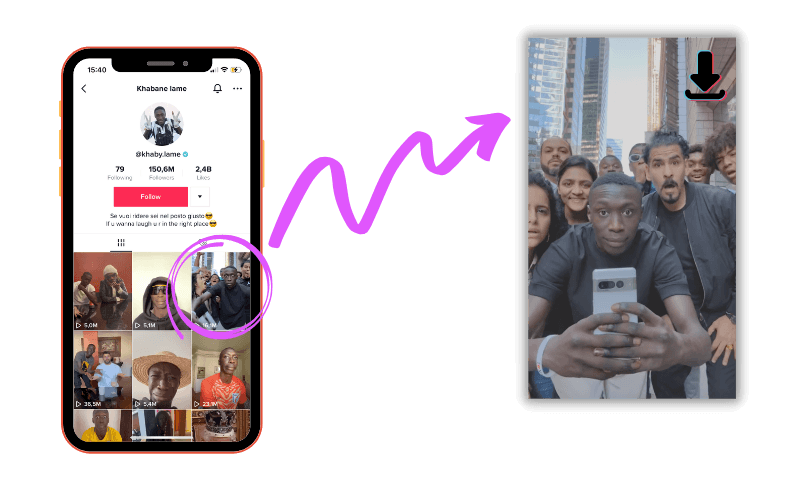
What the TikTok watermark actually is, and what can be removed
When you save a video from inside TikTok, the app burns its own watermark into the picture: the TikTok logo alongside the account’s handle, moving from corner to corner so it cannot be cropped out. It marks the clip as TikTok’s wherever it ends up, which is exactly what you do not want when the video is going into an edit, a presentation or another platform.
That overlay is added when the file is served, not baked into the original upload, which is why a clean copy can be retrieved. This downloader fetches that clean version, so you get up to 1080p with no bouncing logo and no username stamped across the frame.
One mark cannot be removed by us or by anyone else. Many creators add their own name or logo to the picture before uploading, and that is part of the image itself. The way to tell them apart is movement: TikTok’s watermark travels around the frame and shows the posting account’s handle, while a creator’s own mark stays in one place. If a logo sits still in the same corner throughout, it was in the video before TikTok ever saw it.
Saving it on iPhone
Safari may open the file in a new tab rather than saving it. If that happens, press and hold the video, then choose “Download Linked File” or “Add to Photos”.
You will find it afterwards in the Files app under Downloads, or in your camera roll.
Saving it on Android and desktop
On Android and in any desktop browser the download starts straight away and lands in your usual downloads folder.
Each file is named after the account and the video ID, so a folder of saved clips stays readable weeks later.
Which quality should you pick?
HD is up to 1080 by 1920, which is the most TikTok stores. Pick it whenever the video is going into an edit or onto another platform, because quality lost here cannot be recovered later.
Standard is a smaller file at the same aspect ratio, which is the sensible choice on mobile data or when you only want to watch it offline. The size of each option is shown before you download.
Using someone else’s video
Saving a clip to watch offline, to study a hook or an edit, or because it is your own video, is ordinary use.
Reposting somebody else’s work as if it were yours is not, and it is a fast way to get your own account actioned. If you are building on someone’s idea, credit them and use TikTok’s own duet and stitch features where you can.
From TikFuel
A good video deserves to be seen by more than the people who already follow you.
Saving and studying videos that perform well is how most people start. Getting your own in front of an audience is the harder part, and it is what we have done since 2020: real TikTok views and likes, paced over hours so the growth reads as earned rather than bought.
Real viewers, no password needed, delivery starts within minutes.
Frequently asked questions
Is the TikTok video downloader free?
Yes. No account, no app and nothing to install. Paste a link, pick a quality and the file saves to your device.
Do the downloads have a TikTok watermark?
No. The HD and Standard downloads have TikTok's watermark removed, so there is no bouncing logo or username across the picture. A watermarked copy is offered as well, in case you want the video exactly as it appears in the app.
There is still a logo on my video. Why?
That one belongs to the creator, not to TikTok. Plenty of people burn their own name or logo into the picture before uploading, and it is part of the image itself rather than an overlay. TikTok's watermark moves around the frame and shows the account handle; a mark that stays in one place is the creator's and cannot be removed by any tool.
What quality do I get?
Up to 1080p, which is the highest TikTok stores. You are shown the file size for each option before you download, so you can pick HD or a smaller Standard file on mobile data.
Do short vm.tiktok.com links work?
Yes. The short links from the Share button work, as do full profile links and a bare video ID. Anything you can copy out of TikTok should be accepted.
Can I download private or deleted videos?
No. Only videos that are publicly visible can be downloaded. If an account is private, or the video has been removed, there is nothing for the tool to reach.
Will the creator know I downloaded their video?
No. Downloading here does not view, like or follow anything, and you do not need to be signed in to TikTok. Nothing shows up in their notifications or analytics.
Can I repost a video I download?
Only with the creator's permission. The video belongs to whoever made it, so saving one to watch offline, to study, or because it is your own is fine, while reposting someone else's work as your own is not. Reposting without credit is also a fast way to get your own account actioned.
Do you keep a copy of what I download?
No. The file passes straight through to you and is never written to disk on our side. We keep no library of downloaded videos and no record of what you looked up.
More free tools
Working on the profile rather than the posts? Our TikTok profile picture downloader opens any public avatar at full size. And if it is engagement you are short of rather than reach, we also deliver real TikTok likes.