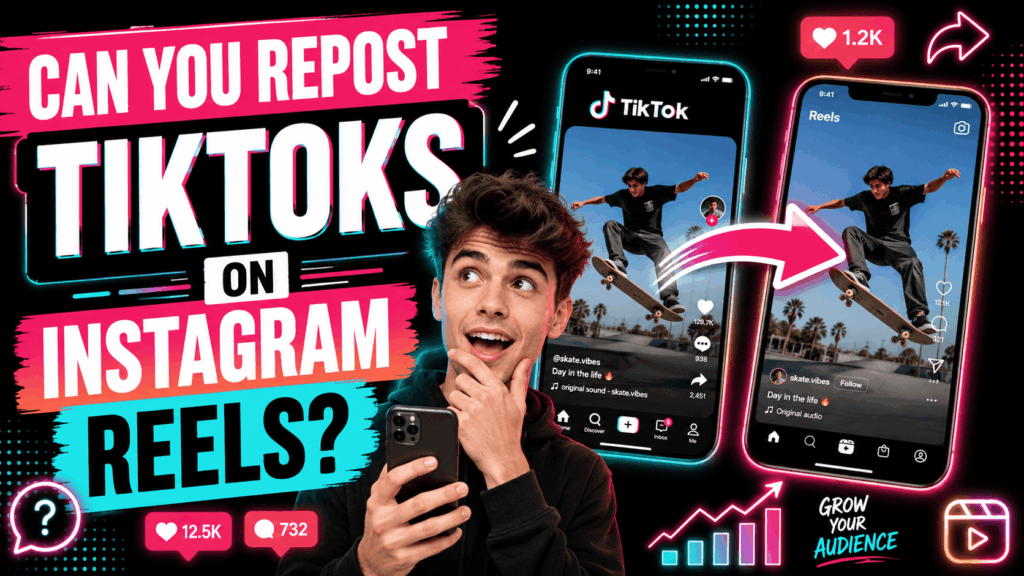
Reposting your TikToks to Instagram Reels looks like free reach. You already made the video. Two more taps and it runs on a second platform, in front of a second audience, for no extra work. Plenty of creators do exactly that. For plenty of them it goes nowhere.
The video is rarely the reason. The file is. TikTok’s save button burns a bouncing watermark into whatever you export, and Instagram reads that watermark as a signal about where the video came from. A TikTok video downloader hands you the same video without it, which is the difference between a repost that reaches strangers and one that only your existing followers ever see.
Here is what each platform actually does with a reposted video, and how to give yours a fair run.
The short answer
Yes, you can repost your own TikToks to Reels. Nobody blocks the upload and nobody takes it down. It is your video.
Instagram cares about something narrower: whether to push that video at people who do not follow you. So the real question is not “am I allowed”. It is “will this get distribution”. Those are two different questions, and the watermark only matters for the second one.
What Instagram does with a watermarked repost
Instagram says it plainly in its original content guidelines: if it believes your content is not original, it may not qualify for recommendations. Its announcement on recommendations and originality spells out the test. Content has to be original, it has to follow the recommendation guidelines, and it must carry no visible watermarks.
Read that carefully, because losing recommendations is not the same as losing the post. Your followers still see it in their feed. What you lose is Explore and the Reels feed, and that is exactly where reach beyond your own audience comes from. A watermarked repost therefore looks fine to you and does nothing for growth.
Instagram also counts small edits as no edit at all. Its guidelines name borders, watermarks and speed changes as low-effort changes that fall short. So the old trick of cropping the logo off or laying a border around the frame does not clear the bar. Instagram has since widened the same originality test past Reels to photos and carousels, so the direction of travel is clear enough.
The watermark you cannot remove
Every TikTok can carry two watermarks, and only one of them comes off.
TikTok adds the first one at export. Tap save on a published video and the app writes a bouncing logo and your username over the picture. That overlay never existed in the source file, so a clean copy of the same upload simply does not have it.
The second kind is anything you burned in while editing. A CapCut outro, a template’s branding, a sticker carrying another creator’s handle: those live in the pixels of the video itself. No tool removes them. Any service that promises otherwise is either cropping your video or smearing a blur over one corner, and both look worse than the watermark did.
Check your own back catalogue before you build a reposting habit on top of it. If the branding is baked in, go back to the editing project and export again from there.
How to get a clean copy
Three routes exist. They are not equally good.
- Export from your editor. If you cut the video in CapCut, InShot or anything similar, export the finished file there and never let TikTok touch it. This gives you the cleanest copy and full control over the quality.
- Save it before you publish. TikTok offers a save option on the posting screen. Use it before the video goes live and you keep a copy with no username overlay on top.
- Pull the published video back down. Once it is live, that save button adds the watermark, so fetch the source file instead. Our tool does that from a link, and it never asks for your login.
One caveat on quality, whichever route you pick. TikTok stores what you uploaded and never adds detail, so nothing can hand you a sharper file than the one you gave it. Anything advertising 4K from a 1080p upload is guessing.
YouTube Shorts plays a similar game
YouTube frames the rule around authorship rather than watermarks. Its Shorts monetisation policies rule out non-original Shorts, meaning reuploads of other people’s videos from YouTube or elsewhere, unedited clips, and compilations with nothing added.
Your own TikTok is your own work, so authorship is not your problem. The watermark still is, because it is the one visible sign that the video lived somewhere else first. Take it off and a reviewer sees a video rather than a reupload.
What to change before you post it again
A clean file is the floor, not the finish line. Each platform reads a video differently, so a straight copy usually underperforms a version you adapted in four small ways.
- The hook. Reels viewers scroll in from a different app with different expectations. Cut any opening line that assumes TikTok context, such as a reference to a sound everyone there already knows.
- The caption. Rewrite it rather than pasting it. Instagram shows more of a caption before the fold and rewards the ones people stop to read.
- The sound. Trending TikTok audio almost never trends on Instagram at the same moment. Swap it for something from Instagram’s own library where the audio matters to reach.
- The safe area. Instagram covers the bottom of the frame with the caption and the buttons. Text that sat comfortably above TikTok’s interface can end up underneath Instagram’s.
When reposting is not worth it
Cross-posting suits some videos and wastes others. Anything built on a TikTok-only trend travels badly, because the reference lands nowhere else. The same goes for a video answering a comment your Instagram audience never saw.
Volume is the other trap. An account that only ever mirrors another platform gives Instagram nothing to recommend, and Instagram now judges that across the whole account rather than post by post. Its guidelines describe recovery as a 30 day window in which most of your recent posts read as original. Mixing in work made for Instagram first is therefore not a nice extra. It is what keeps the rest of your posts eligible.
Treat cross-posting as distribution for your best videos rather than a way to fill a second calendar. If you want the second account to grow rather than just exist, the fundamentals still apply, and our guide to how to get more TikTok followers covers most of them in a form that transfers.
Frequently asked questions
Can I repost my own TikToks on Instagram Reels?
Yes. Instagram never blocks the upload and never removes it for being a repost. It only decides whether to recommend the video to people who do not follow you, and a visible watermark is one of the things that stops it doing so.
Does Instagram really punish TikTok watermarks?
Instagram states that content with visible watermarks does not qualify for recommendations. That costs you Explore and the Reels feed rather than the post itself, so the video still reaches your existing followers either way.
How do I remove a TikTok watermark?
You do not remove it, you avoid it. Export the video from your editing app, or save it from the posting screen before you publish, or fetch the original file with a downloader. Tools that claim to erase a watermark after the fact are cropping or blurring the video instead.
Will a border or a crop hide it well enough?
No. Instagram’s guidelines list borders, watermarks and speed changes together as low-effort changes, so a frame around the video does not make it read as original.
Is it against the rules to post the same video on TikTok and Instagram?
No rule stops you. Both platforms simply prefer content made for them, and both decide reach accordingly. Posting the same video in two places is a distribution choice, not a violation.
The short version
Reposting your own TikToks is allowed everywhere and recommended nowhere while the watermark is still on the file. Instagram will not put a watermarked video into Explore or the Reels feed, YouTube treats it as the sign of a reupload, and no editing trick paints over it convincingly. Start from a clean copy, change the hook, the caption, the sound and the text placement, and keep enough original work in the mix that the account itself still reads as a creator rather than a mirror.